 Birdseye by picwork
Drone roof reports, done in minutes.
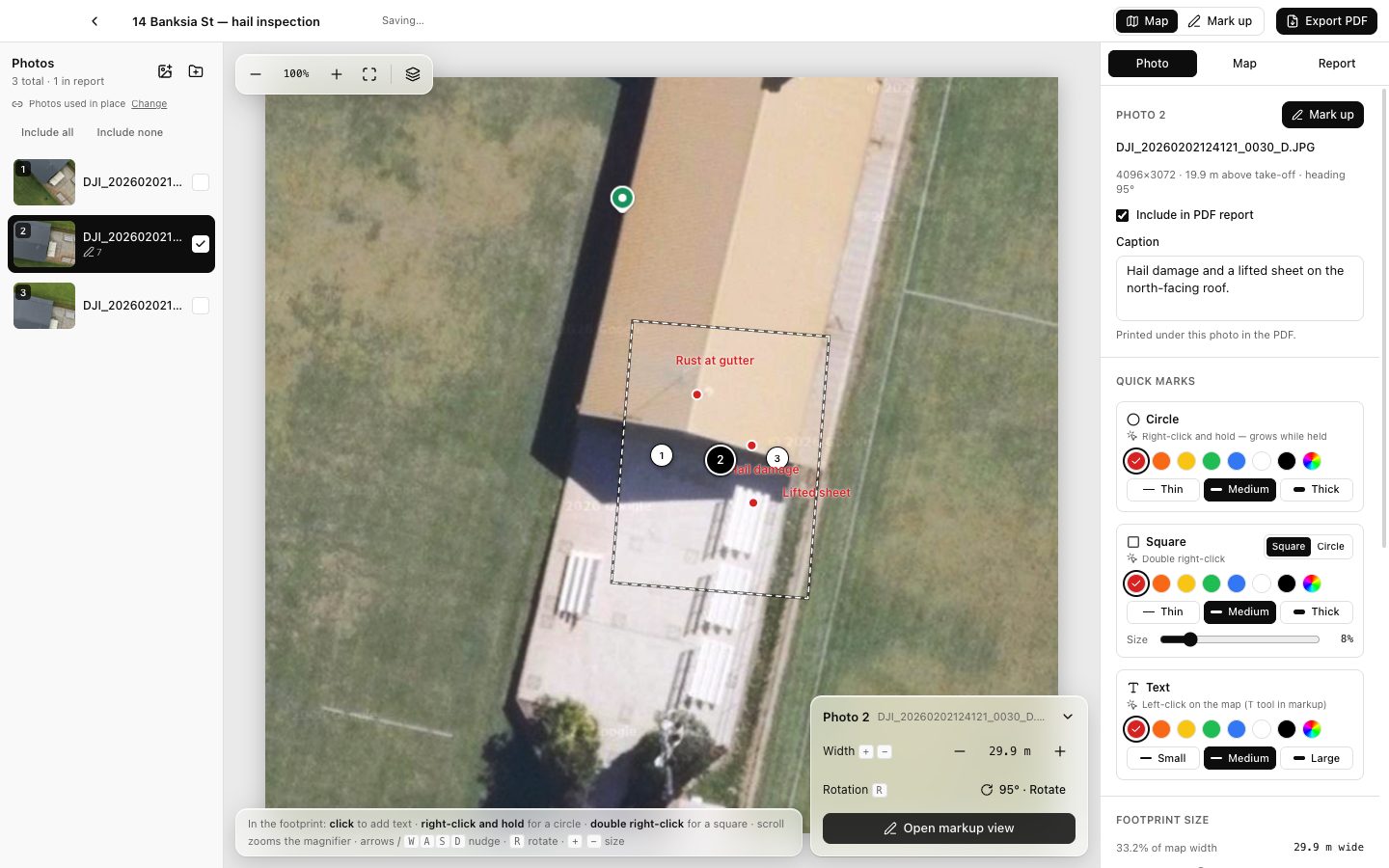
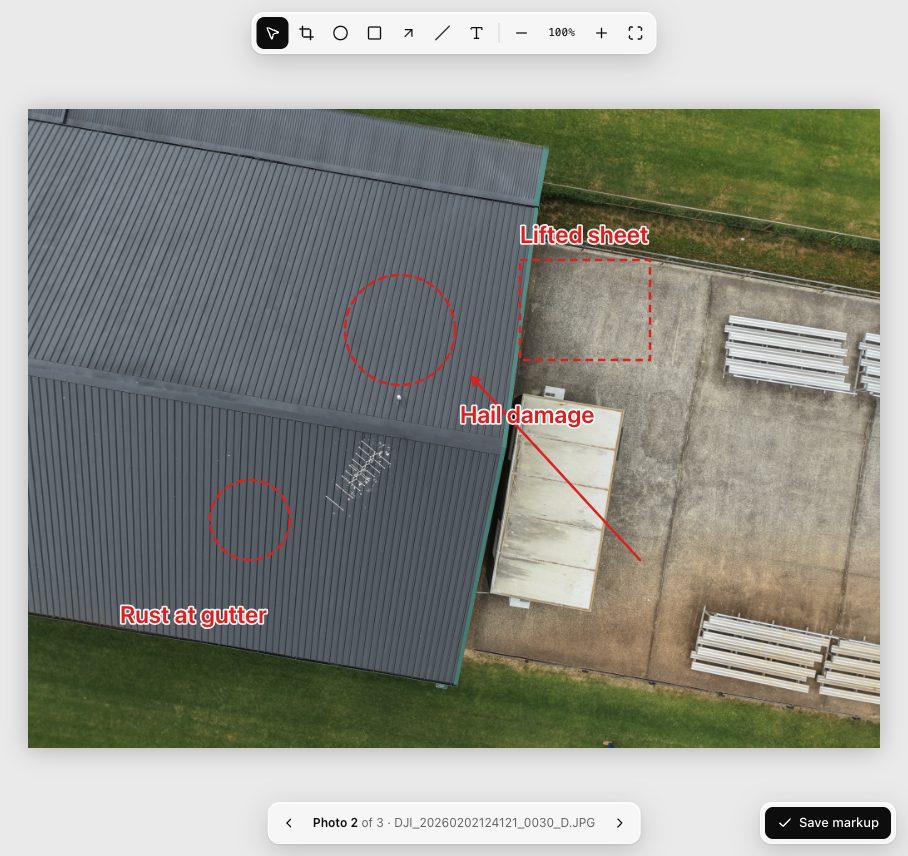
Drop in your drone photos and Birdseye pins each one on the roof. Circle the hail damage, rust and lifted sheets, then send a clean PDF to the insurer or the homeowner.
One-time payment · No subscription · Mac (macOS 12+) and Windows 10/11
Three steps from drone to report
No uploading, no accounts, no fiddling with layouts.
Drop in the roof
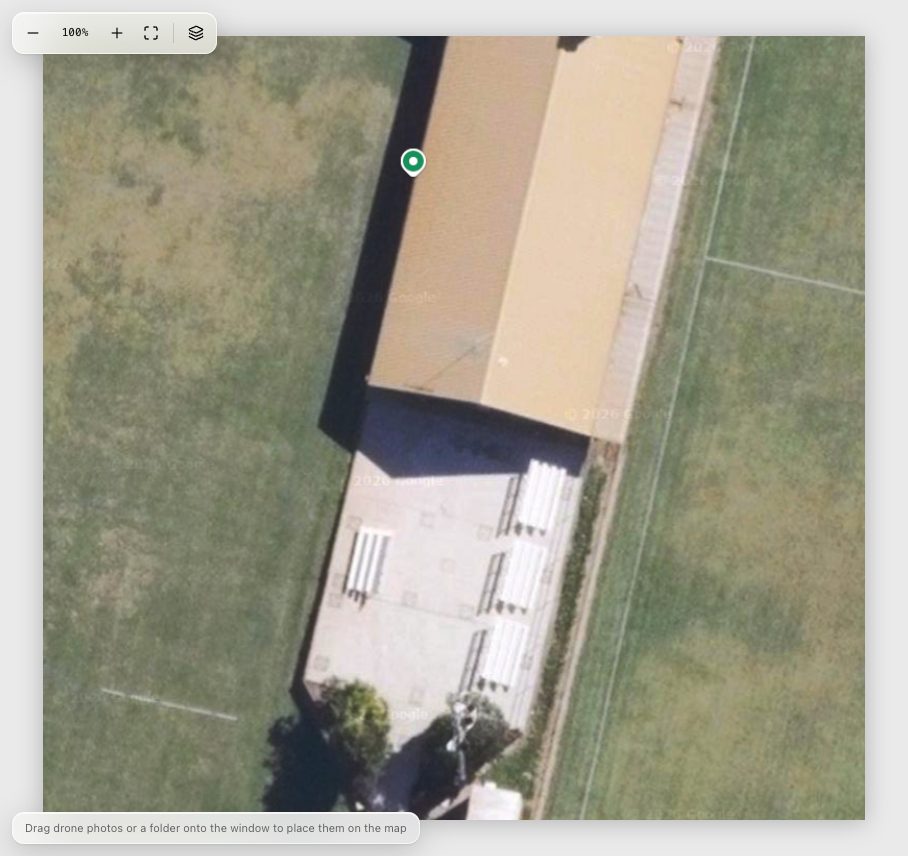
Use a drone overview shot, or paste a screenshot from Google Maps.
Drop in your photos
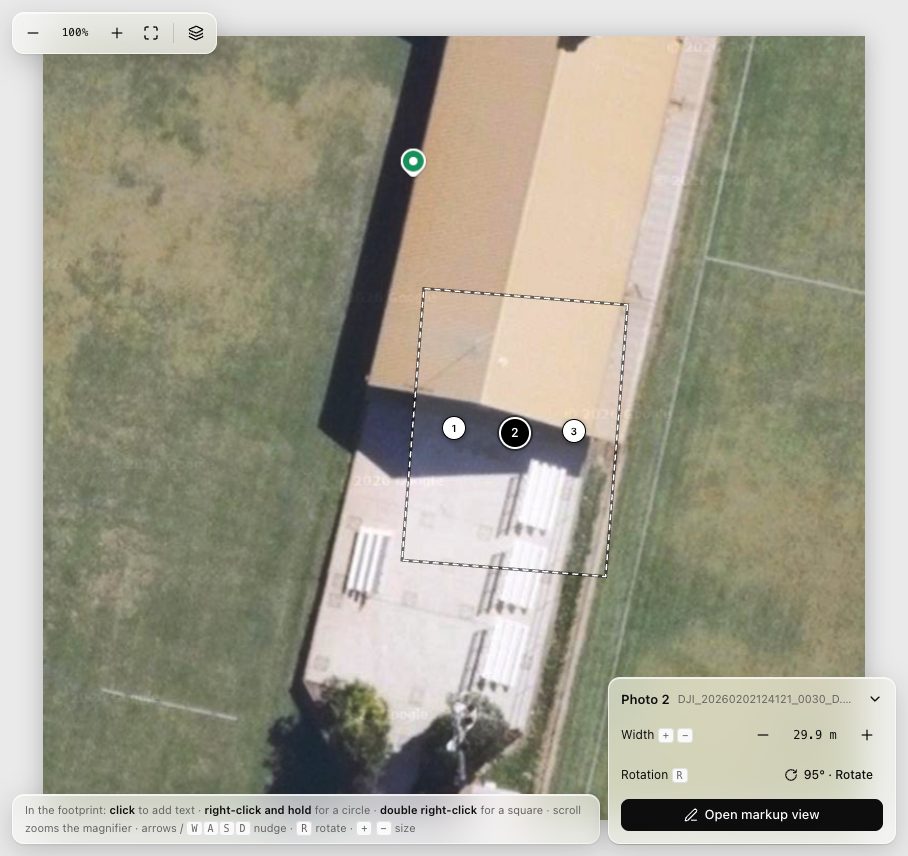
Birdseye reads the GPS in each photo and puts it where it was taken.
Mark it up, send the PDF
Circle, box, arrow and label the damage, crop to what matters, export.
Made for roofers
Built around how you already inspect roofs with a drone.
Works with your DJI
Mini, Air and Mavic photos land on the map at the right size and angle. Any drone that saves GPS works.
Mark-up that reads clearly
Dashed circles and boxes, arrows, lines and labels in any colour. Quick marks with a right-click.
PDFs that email easily
A site map with numbered photos, then each marked-up photo with its caption. Small files, sharp prints.
Your photos stay yours
Everything happens on your computer. Nothing is uploaded, and your original photos are never changed.
One price. Yours to keep.
No subscription, no per-report fees.
Birdseye for Mac and Windows
- Licence for one computer — Mac or Windows PC
- Every mark-up tool and unlimited PDF reports
- Free updates for Birdseye 1
- Tax invoice with your purchase
- 30-day money-back guarantee
Secure checkout by Stripe. Card, Apple Pay or Google Pay.
Questions
Which drones does it work with?
Any drone that saves GPS in its photos. DJI drones also record height and heading, so their photos are sized and turned on the map automatically. Photos without GPS can still be added and placed by hand.
How do I get started after buying?
Your licence key is shown straight after payment. Download Birdseye for your Mac or PC, install it, open it and paste the key. That's it.
Do I need the internet?
Birdseye checks your licence when it opens, which takes a second. If you're offline, you can keep editing until a day after its last check, but exporting photos and PDF reports needs the internet. Your photos are never sent anywhere.
I've got a new computer. How do I move my licence?
On the old computer, open Licence… from Birdseye's menu (Birdseye › Licence… on a Mac, ☰ › Help › Licence… on Windows) and choose Deactivate, then enter your key on the new one. It can move between a Mac and a PC. If the old computer is gone, email us at support@picwork.org.
I lost my licence key.
Use the receipt number from your Stripe receipt email to find your key, or email us.
Does it work on Windows?
Yes — Windows 10 and 11 (64-bit), with the same features as the Mac version. One licence covers one computer, Mac or PC.
What if it's not for me?
Email us within 30 days of buying and we'll refund you in full. See our refund policy.